What Are Internal Tools? Examples, Use Cases & How Teams Build Them
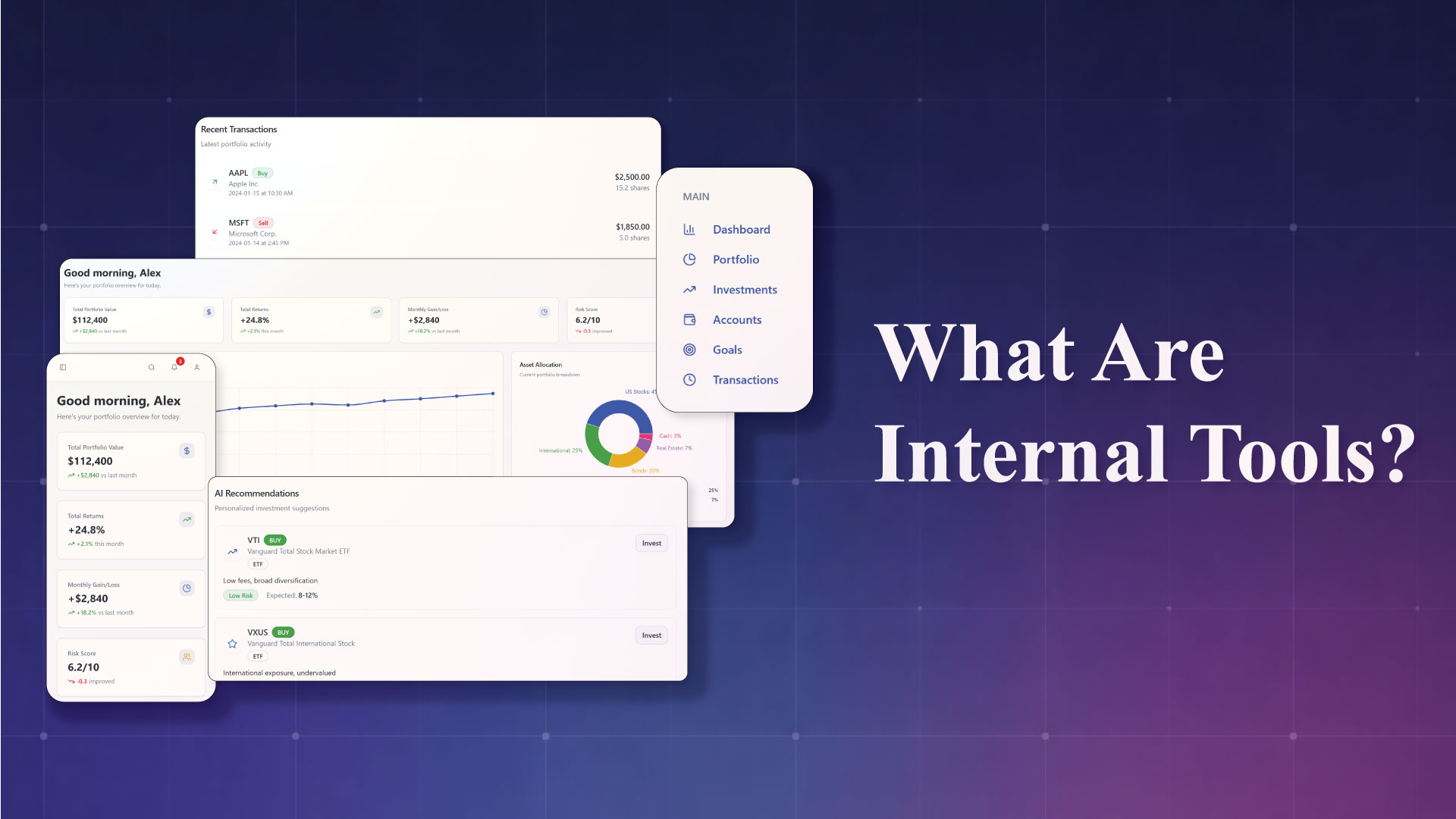
Internal tools are everywhere, even if users never see them.
From admin dashboards and approval systems to internal CRMs and reporting panels, internal tools quietly power how modern teams operate behind the scenes. As businesses scale, these tools become essential for speed, accuracy, and operational clarity.
In this guide, we’ll explain what internal tools are, share real-world examples, cover common use cases, and break down how teams build internal tools today.
What Are Internal Tools?
Internal tools are software applications built specifically for use inside an organization. Unlike customer-facing apps, internal tools are designed to help teams manage operations, data, workflows, and decision-making.
They are typically used by:
- Operations teams
- Finance and HR teams
- Sales and support teams
- Product and engineering teams
- Leadership and management
The goal of internal tools is simple: help teams work faster, smarter, and with fewer manual processes.
Internal Tools vs Customer-Facing Software
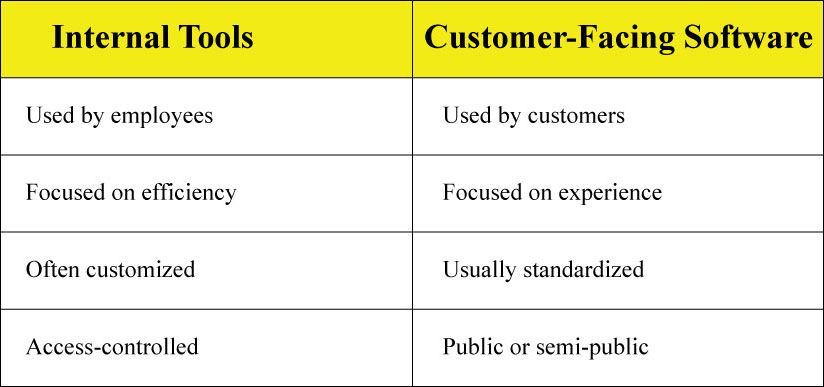
Internal tools don’t need flashy designs. They need to be reliable, secure, and tailored to internal workflows.
Common Internal Tools Examples
Here are some of the most widely used internal tools across organizations.
1. Admin Dashboards
Centralized dashboards that display key metrics, user data, transactions, or system status in real time.
Example:
An operations dashboard showing daily orders, revenue, refunds, and system alerts.
2. Internal CRM Systems
Custom CRMs built for internal sales, account management, or partnerships.
Example:
A sales team tool that tracks leads, deal stages, contract status, and follow-ups.
3. Approval & Workflow Tools
Tools that manage internal approvals for expenses, leave requests, and purchase orders.
Example:
An HR tool where employees submit leave requests and managers approve them in one place.
4. Reporting & Analytics Tools
Internal reporting tools that pull data from multiple systems and present insights.
Example:
A finance dashboard combining Stripe, accounting software, and internal databases.
5. Internal Support Tools
Tools used by support teams to manage tickets, internal escalations, and customer history.
Example:
A support panel showing user profiles, past issues, and internal notes.
Internal Tools Use Cases Across Teams
Internal tools are not one-size-fits-all. Different teams rely on them in different ways.
Operations Teams
- Process automation
- Workflow tracking
- Data validation
- Vendor management
Internal tools help ops teams replace spreadsheets and manual coordination.
HR & People Teams
- Employee onboarding
- Leave and attendance tracking
- Performance reviews
- Policy acknowledgements
Custom tools adapt to company-specific HR policies and processes.
Finance Teams
- Expense approvals
- Budget tracking
- Invoicing workflows
- Financial reporting
Internal tools reduce errors and improve audit readiness.
Sales & Customer Success
- Lead management
- Account tracking
- Renewal reminders
- Customer health dashboards
These tools align sales and success teams with real-time data.
Product & Engineering Teams
- Feature flags
- QA dashboards
- Release tracking
- Bug triage tools
Internal tools help engineering teams move faster with better visibility.
How Teams Traditionally Built Internal Tools
For years, companies relied on three main approaches:
1. Spreadsheets and Manual Processes
Easy to start, but quickly becomes:
- Hard to maintain
- Error-prone
- Difficult to scale
2. Custom Development
Building internal tools with custom code offers flexibility, but comes with:
- Long development cycles
- High engineering costs
- Ongoing maintenance overhead
3. Off-the-Shelf Software
Pre-built tools work for generic needs, but often fail when:
- Workflows are unique
- Integrations are complex
- Custom logic is required
How Teams Build Internal Tools Today
Modern teams increasingly use no-code and low-code platforms to build internal tools faster.
Why This Shift Is Happening
- Faster time to launch
- Less dependency on engineering teams
- Easier iteration as processes change
- Lower long-term maintenance effort
Instead of writing everything from scratch, teams visually build applications using databases, logic, and UI components.
Building Internal Tools With No-Code Platforms
No-code platforms allow teams to:
- Design interfaces visually
- Connect databases and APIs
- Define business logic without code
- Manage user access and permissions
This approach works especially well for:
- Admin panels
- Dashboards
- Workflow tools
- Internal CRMs
Platforms like DrapCode are designed specifically for building custom internal web applications, not just simple forms or websites.
What to Look for in an Internal Tools Platform
When choosing a platform to build internal tools, teams should consider:
- Custom logic & workflows
- Database flexibility
- Role-based access control
- Integration with existing systems
- Scalability as usage grows
- Security and data control
Internal tools often evolve over time, so flexibility matters more than speed alone.
Are Internal Tools Secure?
Security is a common concern.
Well-built internal tools: Common Internal Tools Examples → Admin Dashboards
- Restrict access by role
- Log user actions
- Follow data access best practices
- Integrate with authentication systems
Modern no-code platforms support these requirements when configured correctly.
Key Takeaways
- Internal tools are software applications built for internal teams, not customers.
- Common examples include dashboards, CRMs, approval systems, and reporting tools.
- Every department uses internal tools differently.
- Traditional approaches struggle with speed and flexibility.
- No-code platforms make it easier to build, iterate, and scale internal tools.
- Choosing the right platform is critical for long-term success.
Final Note
Internal tools don’t need to be perfect; they need to be useful, adaptable, and aligned with how teams actually work. As organizations grow more complex, the no-code platform's ability to build and evolve internal tools quickly becomes a competitive advantage.