How to Build a HIPAA-Ready Patient Portal Using DrapCode

Patient expectations in healthcare have changed. They now want secure online access to medical records, appointments, prescriptions, billing, and communication, all in one place. A well-designed HIPAA-ready patient portal helps healthcare providers enhance patient experience, streamline administrative workload, and ensure data privacy.
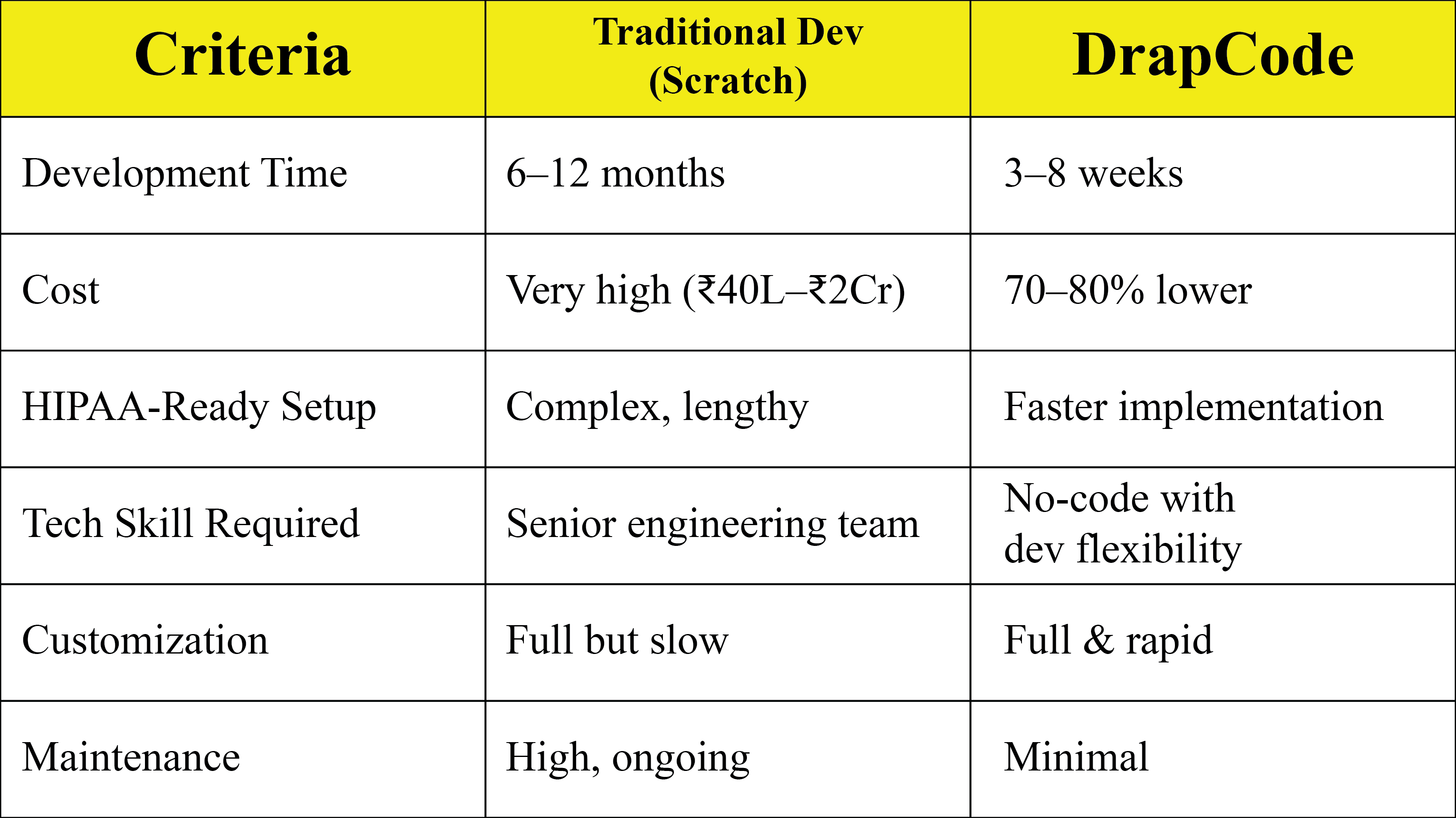
But building such a portal from scratch can take 6–12 months, requires high engineering and compliance costs, and involves complex HIPAA regulations. This is where DrapCode, a no-code platform for healthcare, becomes a game-changer.
This guide explains how to build a HIPAA-ready patient portal using DrapCode more efficiently, securely, and without writing code, while maintaining compliance standards.
What is a HIPAA-Ready Patient Portal?
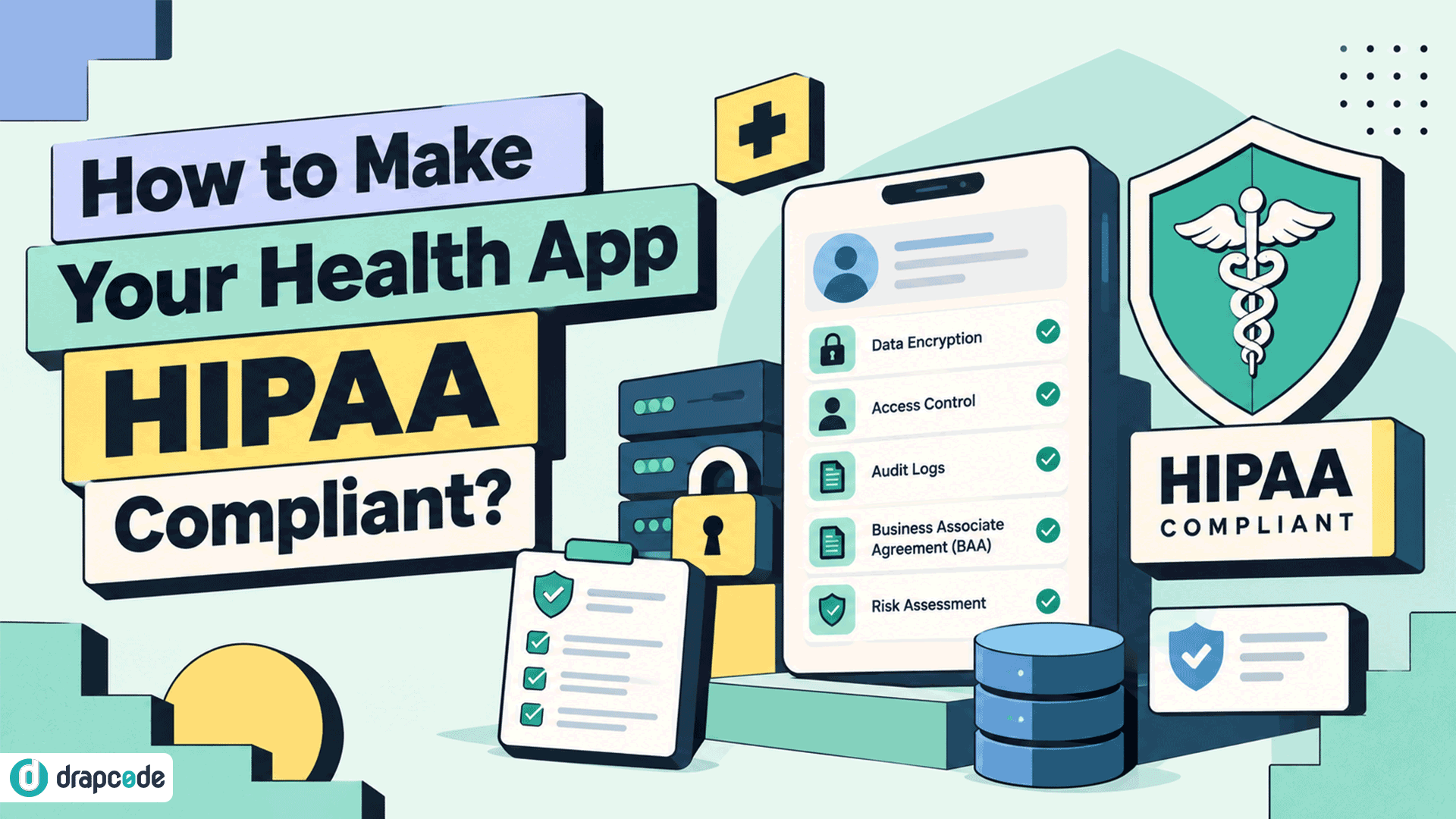
A HIPAA-ready patient portal is a secure web platform that enables patients to access and manage their health information online, ensuring that protected health information (PHI) is stored, transmitted, and processed in accordance with HIPAA guidelines.
A HIPAA-ready portal enables patients to:
- View medical records, test results & prescriptions
- Book and manage appointments
- Communicate securely with care providers
- Receive notifications, documents, and care plans
- Manage billing, insurance, and payments
To ensure compliance with HIPAA standards, DrapCode supports secure infrastructure and workflows.
Why Healthcare Providers Need a HIPAA-Ready Patient Portal
A modern patient portal is no longer a “nice-to-have”; it directly impacts patient trust, operational efficiency, and the quality of care.
Key Benefits for Providers
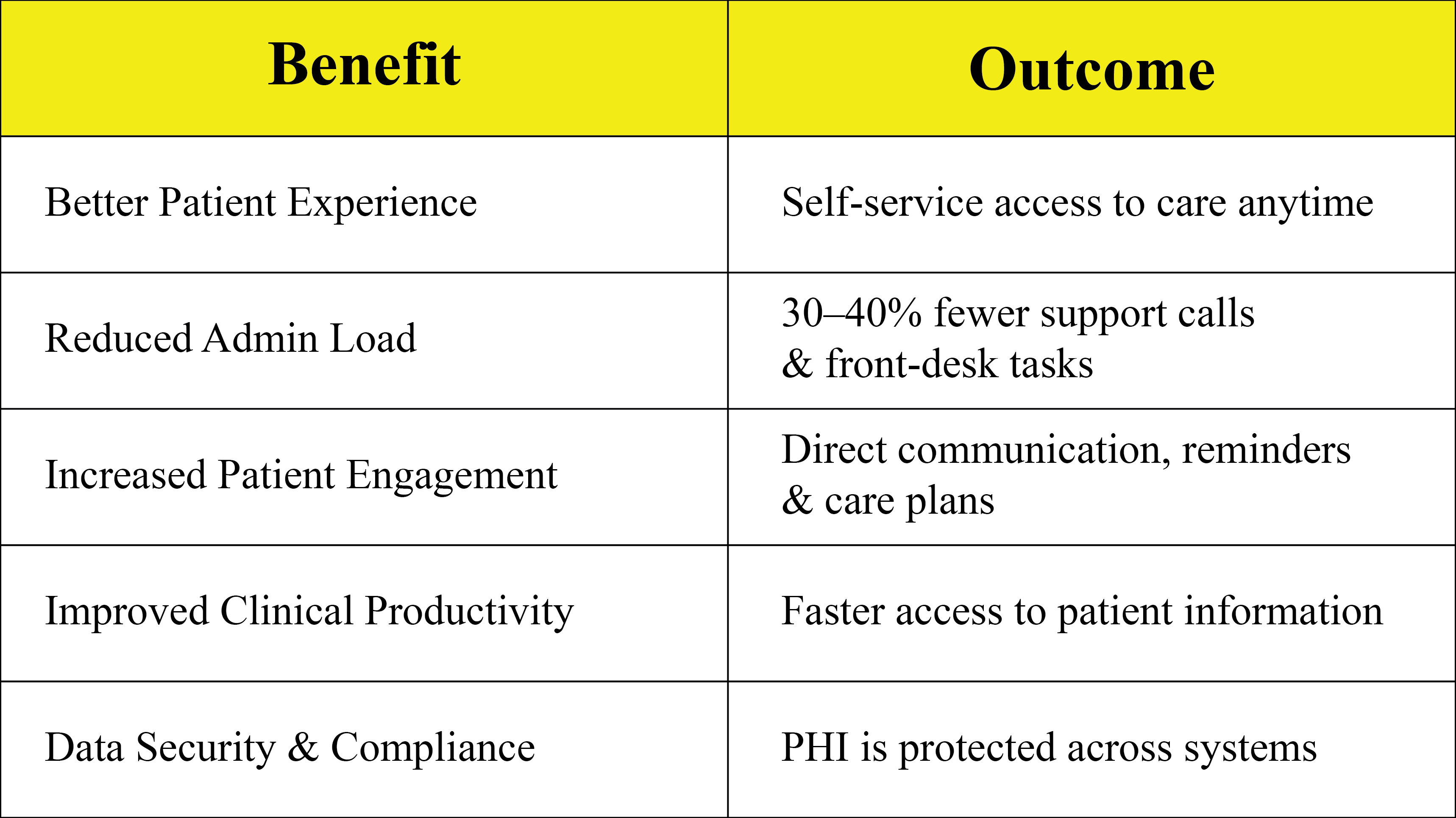
Healthcare founders, clinic owners, and CTOs are increasingly opting for no-code healthcare platforms to accelerate digital adoption. DrapCode provides pre-built healthcare modules and integrations designed to accelerate healthcare product development.
Core Features Your Patient Portal Should Include
A high-performing, HIPAA-ready patient portal typically includes these key modules:
Patient-Facing Features
- Secure patient onboarding & login
- Profile & medical record access
- Appointments, scheduling & reminders
- Lab results, prescriptions & treatment history
- Chat or message center for doctor-patient communication
- Insurance & Billing Section
- Document uploads & e-signature
- Mobile-responsive UI
Admin & Provider-Side Features
- Role-based access for clinical staff
- Patient record management
- Case notes & treatment updates
- Appointment & workflow automation
- Secure messaging & audit logs
- Analytics & patient engagement tracking
HIPAA-Aligned Architecture: What to Keep in Mind
Even when using no-code solutions, your patient portal must adhere to HIPAA-aligned design principles. DrapCode supports secure infrastructure and workflows to protect PHI.
Must-have architectural considerations:
- Encrypted data at rest & in transit
- Role-based access control and audit logging
- Secure authentication and session control
- Data access minimization
- Backup and breach response systems
- Integrations that maintain PHI security
How to Build a HIPAA-Ready Patient Portal Using DrapCode (Step-by-Step)
Step 1: Define Your Core Use Cases
Examples:
- Multi-clinic patient portal
- Telehealth-enabled patient portal
- Specialist-specific portals (dental, mental health, physiotherapy)
- Pediatric or family-care portal with guardian access
Step 2: Configure User Roles & Access
Set up role-based access for:
- Patients
- Doctors/Providers
- Admin/Support
Ensure each role only sees relevant PHI.
Step 3: Create Patient Dashboard & Core Modules
Build screens for:
- Patient profile
- Medical records & files
- Appointments & reminders
- Messages & communication
- Billing & insurance
Use DrapCode’s drag-and-drop UI builder to customize layouts without code.
Step 4: Add Secure Communications
Add messaging or appointment chat, ensuring PHI is visible only to defined roles.
Step 5: Integrate EHR/EMR or Third-Party Systems
Connect with:
- EHR systems
- Insurance verification
- Billing platforms
- CRM or workflow tools
Use APIs or ready-to-use integrations.
Step 6: Enable Analytics & Engagement Tracking
Track:
- Appointment attendance
- Portal usage
- Patient activity
- Communication metrics
Step 7: Test, Review & Deploy
Run tests for:
- Access control
- Data flow restrictions
- User experience
- Mobile optimization
Publish your portal and onboard your first patients.
Build From Scratch vs Using DrapCode — Comparison
Mini Case Study: Mid-Size Clinic Launches Portal in 5 Weeks
A 4-clinic healthcare provider sought a patient portal that integrated appointment scheduling, test results, and messaging. Traditional vendors quoted 5–7 months.
Using DrapCode, they:
- Built patient onboarding, doctor dashboard & messaging in 3 weeks
- Integrated lab results & appointment reminders in week 4
- Rolled out pilot to 120 patients in week 5
Outcome:
47% increase in patient engagement, 32% fewer front desk calls, and improved patient satisfaction scores.