How to Build a Web App Faster Without Coding (Step-by-Step Guide)
Building a web application used to require months of development, multiple engineers, and a significant budget. Today, no-code platforms have changed that.
Whether you're launching a SaaS product, creating a customer portal, building an internal business application, or digitizing manual workflows, modern no-code platforms allow you to develop production-ready web apps much faster than traditional development.
The key isn't simply building quickly; it's building an application that is scalable, secure, and easy to maintain.
In this guide, you'll learn how to build a web app faster without writing code, along with best practices that help teams launch with confidence.
Why Businesses Are Choosing No-Code Development
Traditional software development often involves lengthy planning, coding, testing, and deployment cycles.
Modern no-code platforms simplify much of this process by providing visual builders, reusable components, database management, workflow automation, and integrations.
Businesses are increasingly using no-code platforms to build:
- Customer portals
- Employee portals
- CRM systems
- Project management software
- Vendor management systems
- Healthcare applications
- Financial applications
- Business dashboards
For organizations evaluating different development approaches, understanding no-code vs low-code enterprise apps can help determine which solution best fits their technical requirements and long-term goals.
Step 1: Define Your Application Goals
Before opening a no-code platform, clearly define:
- Who will use the application?
- What problem does it solve?
- What features are essential for launch?
- What data will users manage?
Focusing on a clear business objective prevents unnecessary complexity later in development.
Step 2: Plan Your Database
Every successful web application starts with a well-structured database.
Think about the information your application needs to store, such as:
- Users
- Projects
- Customers
- Orders
- Documents
- Tasks
A strong database structure makes your application easier to scale and maintain.
Step 3: Design the User Experience
A great web app is easy to navigate.
Prioritize:
- Simple navigation
- Mobile responsiveness
- Fast loading pages
- Consistent layouts
- Clear calls to action
Users should be able to complete tasks without unnecessary clicks or confusion.
Step 4: Build Your Workflows
The real value of a web application comes from automation.
Examples include:
- User registration
- Approval processes
- Notifications
- Email alerts
- Status updates
- Task assignments
These workflows reduce manual work and improve operational efficiency.
Step 5: Connect External Services
Most business applications rely on integrations.
Common examples include:
- Payment gateways
- Email providers
- CRM platforms
- Analytics tools
- Cloud storage
- REST APIs
Choosing a platform with robust integration capabilities allows your application to fit seamlessly into existing business processes.
Step 6: Add Security and User Permissions
Security should never be an afterthought.
Your application should support:
- Authentication
- Role-based permissions
- Secure data storage
- HTTPS
- Audit trails
- Access controls
These capabilities are especially important for applications handling sensitive customer or business data.
Step 7: Test Everything
Before launching, thoroughly test:
- Forms
- Navigation
- User permissions
- Mobile responsiveness
- Automation workflows
- Integrations
- Performance
Testing early helps identify issues before users encounter them.
Step 8: Launch and Improve
Launching isn't the finish line.
Collect user feedback, monitor analytics, and continuously improve your application based on real-world usage.
Many successful products evolve significantly after their initial release.
Why Build Your Web App with DrapCode?
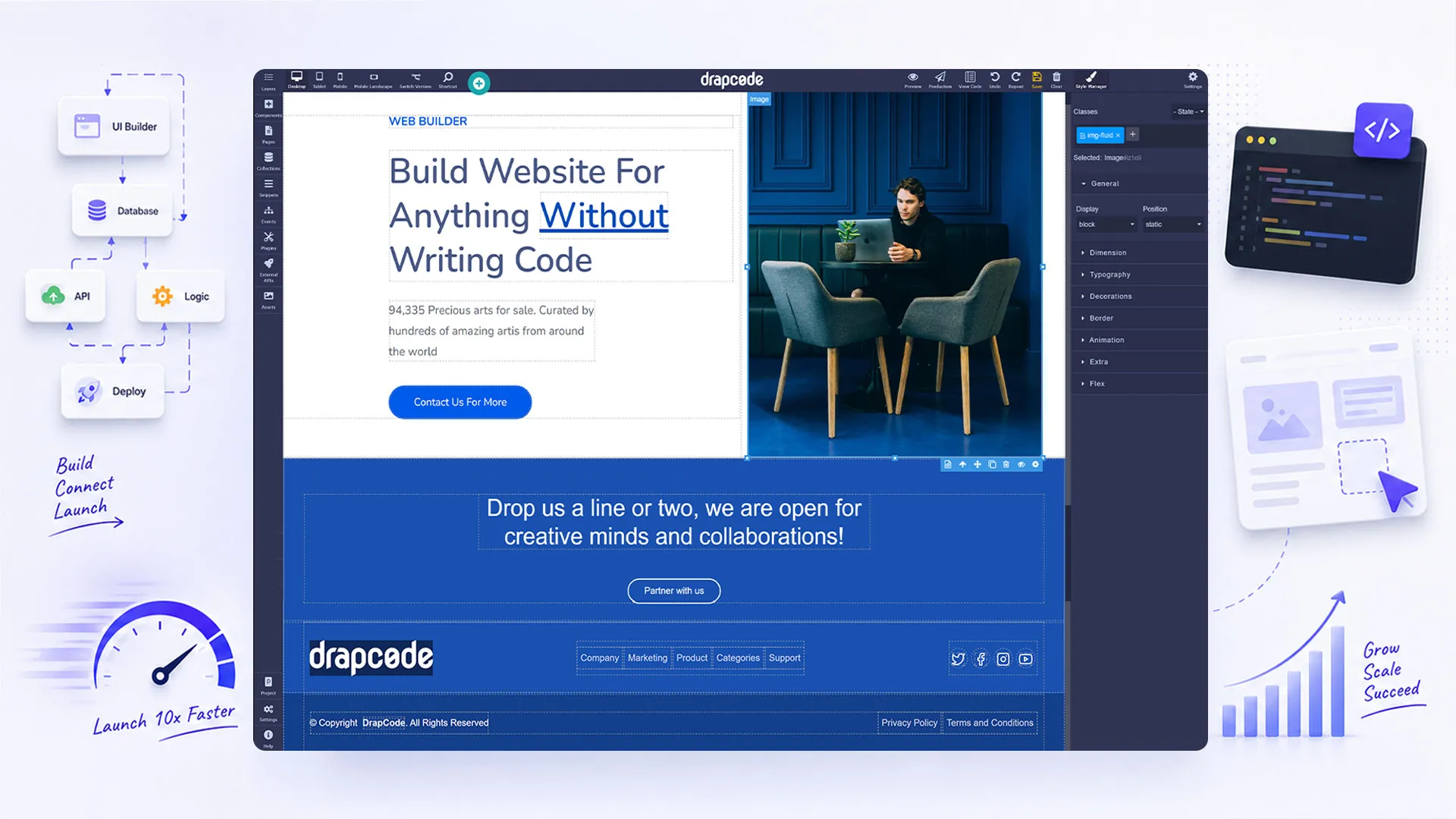
DrapCode is an AI-assisted visual development platform that enables businesses to build secure, scalable web applications without traditional coding.
With DrapCode, you can:
- Build production-ready applications
- Create custom workflows
- Manage databases visually
- Connect external APIs
- Build customer and employee portals
- Scale applications as your business grows
Whether you're creating a new SaaS product or modernizing existing business processes, DrapCode provides the flexibility to build applications around your unique requirements.
Businesses looking to accelerate digital transformation often begin by replacing spreadsheets and disconnected processes with custom business applications tailored to their operations.
Common Mistakes to Avoid
Many first-time builders make avoidable mistakes, including:
- Building too many features before launch
- Ignoring user feedback
- Poor database design
- Overcomplicated workflows
- Choosing platforms that don't scale
- Delaying launch unnecessarily
Focus on delivering value early and improving continuously.
Final Thoughts
Building a web application no longer requires a large engineering team or months of development.
With the right no-code platform, businesses can rapidly create secure, scalable, and production-ready applications while reducing development costs and accelerating time to market.
The key is choosing a platform that supports your long-term growth, not just your first release.
If you're planning to build operational software for your organization, exploring real-world internal tool examples can provide valuable inspiration for structuring your application and workflows.
For teams interested in creating a recurring revenue product, our guide on building your own SaaS product without coding explains how to take a web application from MVP to a scalable SaaS business.
Frequently Asked Questions
Q1. Can I build a web application without coding?
Yes. Modern no-code platforms allow you to build web applications using visual development tools, drag-and-drop components, workflow automation, and database management without writing traditional code.
Q2. How long does it take to build a web app with no code?
The timeline depends on the application's complexity. A simple MVP can often be built in days or weeks, while larger business applications may take several weeks depending on features and integrations.
Q3. What types of web applications can I build with a no-code platform?
You can build customer portals, employee portals, CRM systems, project management tools, inventory management systems, booking platforms, healthcare applications, financial software, and SaaS products.
Q4. Is no-code suitable for enterprise web applications?
Yes. Many modern no-code platforms support enterprise-grade features such as role-based access control, API integrations, workflow automation, security, and scalable databases, making them suitable for production business applications.
Q5. What should I consider before choosing a no-code platform?
Look for scalability, security, workflow automation, database capabilities, integrations, deployment options, user management, and long-term flexibility. Choosing the right platform early can save significant redevelopment effort as your application grows.