Build Patient Portal on ModuleMD EMR with DrapCode
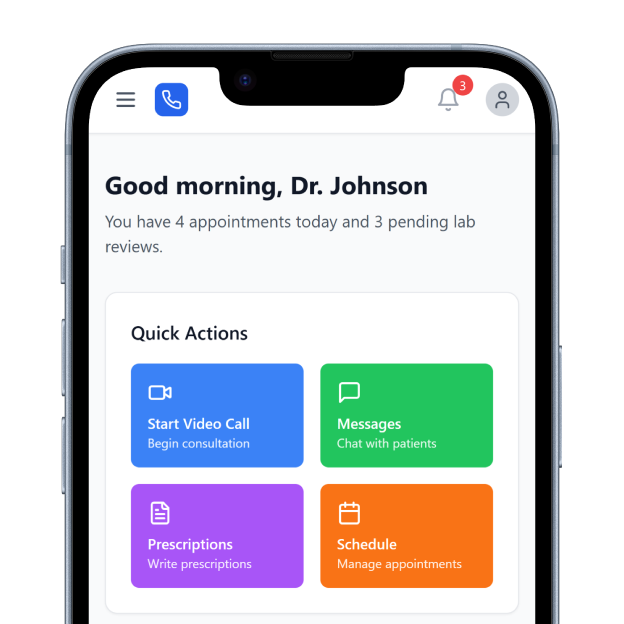
DrapCode builds custom patient portals around ModuleMD EMR, helping specialty practices create patient experiences shaped around their services while working with supported ModuleMD data and workflows.
Trusted by Healthcare Innovators
1,000+ organizations trust DrapCode to help healthcare teams launch secure & HIPAA-compliant applications.






Built for Specialists
ModuleMD is designed around independent specialty practices, with dedicated workflows for allergy and immunology, ENT allergy, pulmonology, internal medicine, infusion, and biologics. Its platform combines EHR, practice management, patient engagement, and revenue operations. For specialty practices, patients often need more than basic record access. DrapCode can build a front end around testing, recurring treatments, appointments, preparation, education, and other practice-specific journeys.
Extend Portal Access
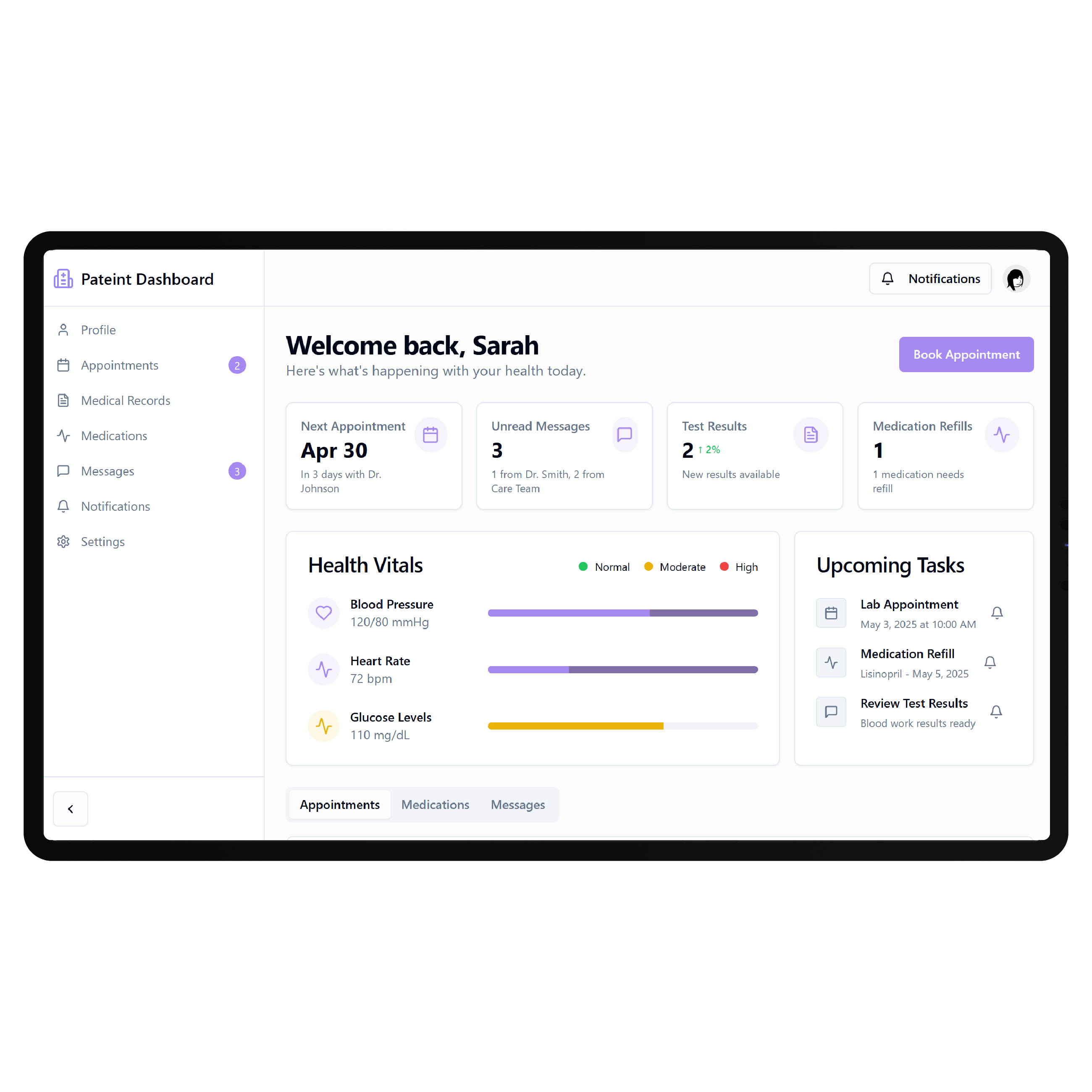
ModuleMD already provides a Patient Portal with 24/7 access to health information. Patients can schedule appointments, exchange messages, request prescription refills, review statements and payments, view lab results, and use mobile portal features. A custom portal can complement those tools when your practice needs different branding, specialty navigation, treatment journeys, or additional digital services. The connected scope should follow ModuleMD’s available API capabilities and authorized access.
Key Features Provided by ModuleMD EMR

Appointment Scheduling
Allows patients to schedule appointments online while helping practices reduce manual scheduling workload.

Secure Messaging
Lets patients exchange protected messages with their healthcare providers directly through the portal.

Prescription Refills
Enables patients to submit prescription refill requests through their secure ModuleMD portal account.

Lab Results
Provides patients with convenient online access to laboratory results shared through their portal.

Online Payments
Lets patients review financial information and make supported payments through ModuleMD’s Patient Portal.
Mobile Check-In
Allows patients to check in remotely using ModuleMD’s Patient Portal application before appointments.
Specialty Care Journeys

Allergy Practices
Guide patients through testing, immunotherapy appointments, treatment information, follow-ups, and recurring allergy care activities.
Pulmonology Clinics
Create clearer digital journeys around appointments, testing, treatment resources, medications, and ongoing respiratory care.

Infusion Programs
Organize preparation, scheduled treatments, patient instructions, recurring visits, and follow-up resources in one experience.
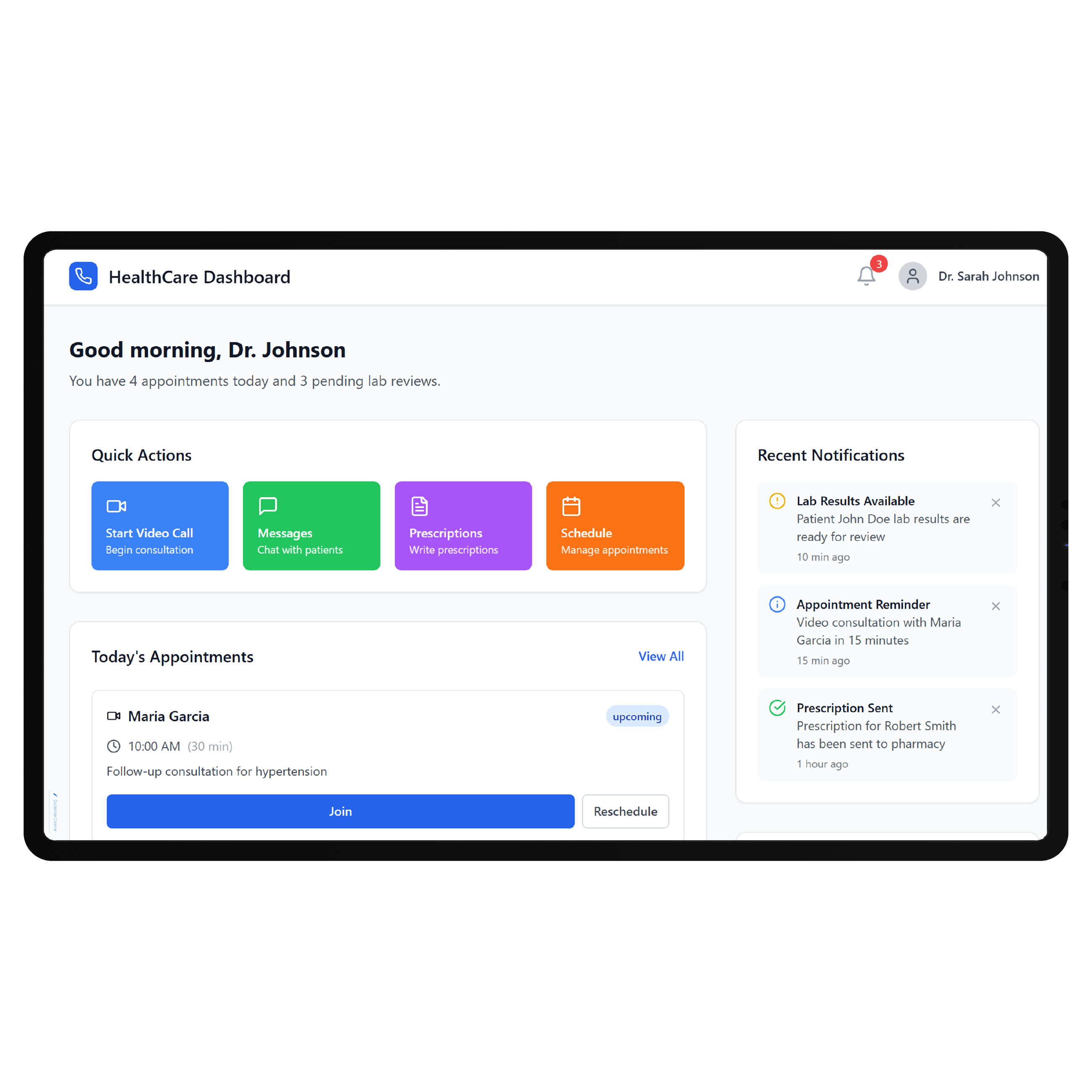
Key Features DrapCode Can Build in the Patient-Facing Front End
Specialty Dashboard
Organize approved patient actions using an approach adaptable to a Raintree EMR patient portal.

Treatment Journey
Present recurring treatments, appointments, approved instructions, and next steps through one patient-friendly experience.

Guided Onboarding
Create specialty-specific registration and preparation flows around each practice’s requirements before patient visits.

Resource Library
Bring approved treatment information, preparation guides, educational resources, and aftercare instructions together digitally.

Progress Experience
Present permitted treatment milestones, results, and recurring care information through clearer patient-facing interfaces.
Mobile Navigation
Make specialty workflows straightforward for patients accessing your portal primarily through phones and tablets.
Connect Through OpenAPI
ModuleMD makes OpenAPI materials available to registered developers. Its terms state that developers can use the API to provide ModuleMD healthcare consumers access to their ModuleMD-held data, subject to authorization and the platform’s conditions. DrapCode can map the required portal experience against that supported access, following the same system-specific planning required for a ReMedi EMR patient portal. The final connection depends on required data, authorization, API capabilities, and ModuleMD’s developer requirements.
Follow Specialty Treatment
For practices managing allergy testing, immunotherapy, pulmonology, infusion, or other recurring care, the patient journey can involve repeated appointments and treatment-specific instructions. ModuleMD itself emphasizes specialty-specific workflows rather than a generic EHR model. DrapCode can reflect those workflows in the patient-facing experience, just as a SPRY EMR patient portal should reflect rehabilitation-specific care. ModuleMD remains the underlying system while the custom portal focuses on how patients move through care.
Frequently Asked Questions
Does ModuleMD already provide a patient portal?
Why build a custom patient portal around ModuleMD?
Does ModuleMD provide an API for patient applications?
What can DrapCode build for ModuleMD practices?
What determines ModuleMD integration feasibility?
Build Around Your Specialty
Tell DrapCode how your practice uses ModuleMD and where the existing patient experience needs more flexibility. We’ll map the portal, specialty workflows, and supported integration requirements.